
Sticker Book and Character T-Shirts
Collect and inspect stickers, turn Sticker Book pages and apply a sticker to an eligible Character T-Shirt after redeeming the purchase bonus.
FAQ
How do you find and inspect stickers?
What does the blue present icon tell you?
How do you find and inspect stickers?
Talking and minigames are documented collection routes. In the Sticker Book, move the cursor over a sticker to see its name. Use SL or SR to change pages, or the Right Button over an empty space in the horizontal Joy-Con layout. Match these action labels to the controller scheme you actually use.
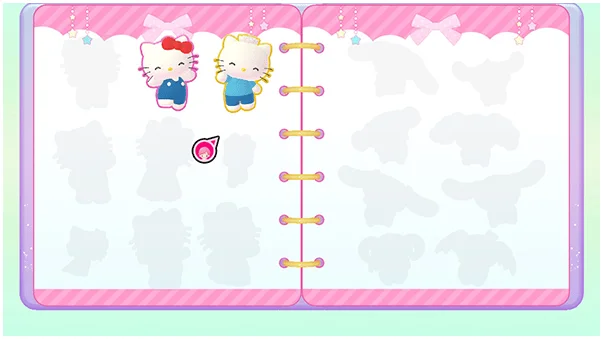
What does the blue present icon tell you?
The minigame section associates completing all difficulty levels with a possible special sticker and tells players to look for a blue present icon. Use it to identify an opportunity rather than assuming every ordinary win gives the same reward. This guide does not claim that every sticker has an identical unlock condition.
Why can you not paste a sticker onto a shirt?
First check that you have a Character T-Shirt, not merely another top. The manual identifies it as an early-purchase bonus and directs owners to redeem the supplied download code in Nintendo eShop. Once eligible, select the sticker in the book and use the paste action. Do not assume the bonus is included in every future purchase.
Related guides
Related Articles
activities
Board Games and Difficulty-Based Targets
Compare Blooming Flower Festival, Tropical Twilight and Sparkling Neon Night, including Medium-only delivery targets and how days end.
activities
Board Spaces and Route Planning
Recognize shop, challenge, item and map-specific spaces before risking your flowers, droplets or sparks on a detour.
activities
Melody Cake: How to Play Music and Use Catalogs
Create percussion and melody on cakes, connect matching patterns and organize music across four catalogs with sixteen cakes each.
Was this helpful?
Thanks for the feedback!