
Melody Cake: How to Play Music and Use Catalogs
Create percussion and melody on cakes, connect matching patterns and organize music across four catalogs with sixteen cakes each.
FAQ
How do cake decorations become music?
How do you make a longer melody?
How do cake decorations become music?
Switch between top and sides with the Bottom Button in the documented horizontal-controller layout. The top is used for percussion and the sides for melody. Placement affects pitch. The manual describes sixteen pieces for 4/4 time and twelve for 3/4, so check the selected time signature when a pattern looks different.
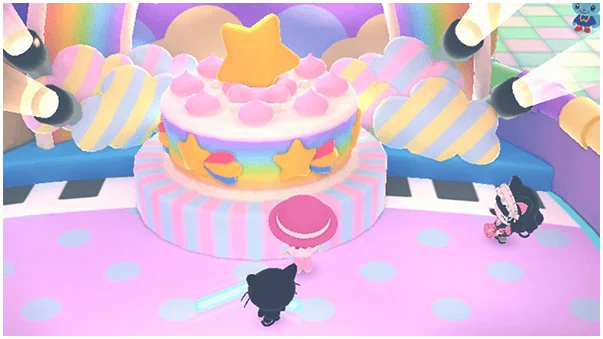
How do you make a longer melody?
Place two copies of the same melody next to each other, then use the Top Button on the right-hand melody to connect it to the left. Listen to the result before adding more edits. This is the documented connection rule; it does not establish unrestricted recording or importing outside music.
How should you organize and preview cakes?
Choose a catalog and cake before editing. The tools and tempo menu provides navigation, copy, paste and time-signature changes. You can copy cakes within a catalog and play them in order with the Left Button. Four catalogs with sixteen slots each are storage organization, not a requirement to fill every slot before hearing a song.
Related guides
Related Articles
activities
Board Games and Difficulty-Based Targets
Compare Blooming Flower Festival, Tropical Twilight and Sparkling Neon Night, including Medium-only delivery targets and how days end.
activities
Board Spaces and Route Planning
Recognize shop, challenge, item and map-specific spaces before risking your flowers, droplets or sparks on a detour.
activities
Minigames, Difficulty and Crown Icons
Find the Minigame Corner, interpret difficulty crowns and present icons, and distinguish cooperative minigames from solo Petit Games.
Was this helpful?
Thanks for the feedback!